Q. How do you perform transaction management in SQL stored procedures?
A. Handled with begin, commit, and rollback ‘tran’ commands in Sybase server.
Q. Why is it important?
…
Q. How do you perform transaction management in SQL stored procedures?
A. Handled with begin, commit, and rollback ‘tran’ commands in Sybase server.
Q. Why is it important?
…

Unix is a very powerful tool to automate monotonous & manual tasks. Here is a real-life example for data engineers & software engineers. If you are not familiar with Shell scripting the code may look complex, but if you dissect as shown below it becomes easier.
What does the below Unix code do?
…
Unix is a very powerful tool to automate monotonous & manual tasks. Here is a real-life example for data engineers & software engineers. If you are not familiar with Shell scripting the code may look complex, but if you dissect as shown below it becomes easier.
Problem statement: Given the below sample input file where there can be a “,”
…
Q01 How will you go about to list all the table names used in a number of sql scripts for a given database say MY_DB_1?
A01 Let’s say you have a number of sample sql scripts like
test.sql:
|
1 2 3 4 5 6 7 8 9 10 11 12 13 14 15 |
SELECT * FROM MY_DB_1.Table_A; SELECT * FROM MY_DB_1.Table_A a LEFT JOIN MY_DB_1.Table_B b ON a.id = b.id WHERE a.created_date BETWEEN '2020-12-01' AND '2020-12-30'; SELECT * FROM MY_DB_1.Table_B a LEFT JOIN MY_DB_1.Table_C b ON a.id = b.id WHERE a.created_date BETWEEN '2020-12-01' AND '2020-12-30'; |
test2.sql:
|
1 2 3 4 5 6 7 8 9 10 |
SELECT * FROM MY_DB_1.Table_X; SELECT * FROM MY_DB_1.Table_X a LEFT JOIN MY_DB_1.Table_Y b ON a.id = b.id WHERE a.created_date BETWEEN '2020-12-01' AND '2020-12-30' ; |
Output_table_names_used_in_scripts.sh
|
1 2 3 4 5 6 7 8 9 10 11 12 13 14 15 16 17 18 19 20 21 22 |
#!/bin/sh #to handle spaces in file names #OIFS="$IFS" #IFS=$'\n' BASE_FOLDER="." for file in `find $BASE_FOLDER -name '*.SQL' -o -name '*.sql'`; do echo "processing file = $file" grep -io 'MY_DB_1\.[a-zA-Z0-9_]*' $file >> temp_1 done echo 'Deleting temp files & writing uniq values to output' cat temp_1 | sort | uniq > output.txt rm -f temp_1 #IFS="$OIFS" |
Output.txt
|
1 2 3 4 5 6 |
MY_DB_1.Table_A MY_DB_1.Table_B MY_DB_1.Table_C MY_DB_1.Table_X MY_DB_1.Table_Y |
Q02 How will you go about replacing the database name MY_DB_1 in the *.sql above to use MY_NEW_DEV_DB ?
…
When you are using Linux/Unix command line frequently, using the history effectively can be a major productivity boost. You can accomplish things with less typing. For example, you will be typing lots of commands like
|
1 2 3 4 5 |
ls -ltr cd /tmp/user pwd cd /tmp/usr |
and so on. There are 6 ways to repeat your previous commands quickly without having to type a lot.
…
Q1 How will you delete files that are older than 7 days in a remote unix server?
A1 By ssh ing to the remote host server
|
1 |
ssh user@host123 "find /etc/data/*.csv -mtime +7 -exec rm -f {} \;" >> myapp.log 2>&1 |
Q2 How will you copy files from a remote server to a local server?
…
This extends sed and awk to write shell scripts for Java developers. sed & awk are very powerful tool for data engineers to transform text files. Here are a few examples. Q2 Can you explain the following Unix command?
|
1 |
$ date ; ps -ef | awk '{print $1}' | sed -e '1d'| sort | uniq | wc -l >> activity.log |
A2 The “date” prints the date and time. … Read...
sed (stream editor) is one of the powerful workhorse commands in UNIX. Recently I had to use it with “Git” and “Maven” to find text “SNAPSHOT” in all pom.xml files, and manually update them with a realease version like 1.0.2 without the suffix “SNAPSHOT”.
…
In BigData projects relating to HDFS or AWS S3, it is common to have scripts that transfer or download data from HDFS to the local file system on an edge or gateway node with CLI commands like HDFS, AWS, etc. You also need to upload files from a local file...

Data Engineers & Java Developers must have a good handle on Unix. Most production systems are Linux based with 1000’s of scripts.
date
Q01. What does the below Unix code do?
|
1 |
echo $(date -d "$(date +%Y-%m-01) -1 day" +%Y-%m-%d) |
A1.The above code echoes previous month’s end date.
…
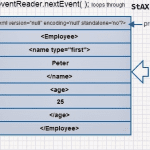
Q1. What libraries can you use in Java to process XML documents? A1. #1. DOM Parser loads the whole XML structure into memory, and you can read and write. This is useful for smaller XML documents which don’t impact memory usage. … Read more ›...

#1. Reuse by defining a “ComplexType”. EmployeeType is reused.
|
1 2 3 4 5 6 7 8 9 10 11 12 13 14 15 16 17 18 19 20 21 22 23 |
<?xml version="1.0" encoding="UTF-8"?> <xsd:schema xmlns="http://www.w3.org/2001/XMLSchema" targetNamespace="http://www.myapp.com/Person" xmlns:xmime="http://www.w3.org/2005/05/xmlmime" xmlns:tns="http://www.myapp.com/Person" xmlns:xsd="http://www.w3.org/2001/XMLSchema" attributeFormDefault="unqualified" elementFormDefault="qualified"> <!-- XML root element --> <xsd:element name="CompanyRequest" type="tns:CompanyType" /> <xsd:complexType name="CompanyType"> <xsd:sequence> <xsd:element name="PermanentStaff" type="tns:EmployeeType" /> <xsd:element name="ContractStaff" type="tns:EmployeeType" /> </xsd:sequence> </xsd:complexType> <xsd:complexType name="EmployeeType"> <xsd:sequence> <xsd:element name="firstName" type="string" /> <xsd:element name="lastName" type="string" /> </xsd:sequence> </xsd:complexType> </xsd:schema> |
Once JAXB annotated classes are created
|
1 2 3 4 5 6 7 8 9 10 11 12 13 14 15 16 17 18 19 20 |
public void process() throws XmlMappingException, IOException { CompanyRequest req = new CompanyRequest(); EmployeeType ps = new EmployeeType(); ps.setFirstName("Peter"); ps.setLastName("Smith"); EmployeeType cs = new EmployeeType(); cs.setFirstName("John"); cs.setLastName("Lewis"); req.setPermanentStaff(ps); req.setContractStaff(cs); StringResult result = new StringResult(); marshaler.marshal(req, result); System.out.println(result.toString()); } |
XML output:
|
1 2 3 4 5 6 7 8 9 10 11 12 |
<?xml version="1.0" encoding="UTF-8" standalone="yes"?> <CompanyRequest xmlns="http://www.myapp.com/Person"> <PermanentStaff> <firstName>Peter</firstName> <lastName>Smith</lastName> </PermanentStaff> <ContractStaff> <firstName>John</firstName> <lastName>Lewis</lastName> </ContractStaff> </CompanyRequest> |
#2. Inheritance reuse where sub types can define additional elements like “salary”, … Read more ›...
Step 1: Add “snakeyaml” to maven pom.xml as a dependency
|
1 2 3 4 5 6 7 |
<dependency> <groupId>org.yaml</groupId> <artifactId>snakeyaml</artifactId> <version>1.17</version> </dependency> |
Step 2: Define a YAML file under src/main/resources. For example, “logging.yml”
|
1 2 3 4 5 6 |
paths: logsPath: /mylogs packagePrefix: com.myapp |
Step 3: Create a LoggingConfiguration Java POJO class.
|
1 2 3 4 5 6 7 8 9 10 11 12 13 14 15 16 17 18 19 20 21 22 23 24 25 26 27 28 29 30 31 |
import java.util.Map; public class LogConfiguration { private Map<String, String> paths; private String packagePrefix; public Map<String, String> getPaths() { return paths; } public void setPaths(Map<String, String> paths) { this.paths = paths; } public String getPackagePrefix() { return packagePrefix; } public void setPackagePrefix(String packagePrefix) { this.packagePrefix = packagePrefix; } @Override public String toString() { return "LogConfiguration [paths=" + paths + "]"; } } |
Step 4: Finally,
…