Related Links
1. Spring MVC beginner tutorial step by step.
Extends Video Tutorials
1. ⏯ Java Web App with Tomcat & Maven beginner video tutorial.
2. ⏯ Running Tomcat inside Eclipse beginner video tutorial.
…
Related Links
1. Spring MVC beginner tutorial step by step.
Extends Video Tutorials
1. ⏯ Java Web App with Tomcat & Maven beginner video tutorial.
2. ⏯ Running Tomcat inside Eclipse beginner video tutorial.
…

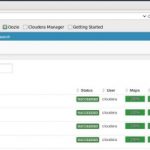
This extends Convert XML file To Sequence File – writing & reading – Local File System. Step 1: Upload “report.xml” onto HDFS. E.g using the Cloudera HUE on to path “/user/cloudera/report-data”. You need to create the “report-data” folder.
|
1 2 3 4 5 6 7 8 9 10 11 12 13 |
<?xml version="1.0" encoding="UTF-8"?> <transactionReports xmlns="http://mytutorial.com/report"> <transactionReport> <report> <reportNumber>9999</reportNumber> <createdDatetime>2015-06-15T11:29:52+10:00</createdDatetime> <processedDatetime>2015-06-15T11:29:52+10:00</processedDatetime> <reportStatusCode>Active</reportStatusCode> </report> </transactionReport> </transactionReports> |
The uploaded file on Hue: Step 2: Change the code to...

Pre-requisite: Docker is installed on your machine for Mac OS X (E.g. $ brew cask install docker) or Windows 10. Docker interview Q&As.
What is Apache Zeppelin?
Zeppelin is a web based notebook to execute arbitrary code in Scala, SQL, Spark, etc. You can mix languages.
…
Step 1: The “pom.xml” that defines the dependencies for Spark & Hadoop APIs.
|
1 2 3 4 5 6 7 8 9 10 11 12 13 14 15 16 17 18 19 20 21 22 23 24 25 26 27 28 29 30 31 32 33 34 35 36 37 38 39 40 41 42 43 44 45 46 47 48 49 50 51 52 53 54 55 56 57 58 59 60 61 62 63 64 65 66 67 68 69 70 71 72 73 74 75 76 77 78 79 80 |
<project xmlns="http://maven.apache.org/POM/4.0.0" xmlns:xsi="http://www.w3.org/2001/XMLSchema-instance" xsi:schemaLocation="http://maven.apache.org/POM/4.0.0 http://maven.apache.org/maven-v4_0_0.xsd"> <modelVersion>4.0.0</modelVersion> <groupId>com.mytutorial</groupId> <artifactId>simple-spark</artifactId> <packaging>jar</packaging> <version>1.0-SNAPSHOT</version> <name>simple-spark</name> <url>http://maven.apache.org</url> <properties> <maven.compiler.source>1.7</maven.compiler.source> <maven.compiler.target>1.7</maven.compiler.target> <project.build.sourceEncoding>UTF-8</project.build.sourceEncoding> <junit.version>4.8.1</junit.version> <hadoop.version>2.7.2</hadoop.version> <spark-version>1.3.0</spark-version> <scala.version>2.11.5</scala.version> <scala.compat.version>2.11</scala.compat.version> </properties> <dependencies> <dependency> <groupId>junit</groupId> <artifactId>junit</artifactId> <version>${junit.version}</version> <scope>test</scope> </dependency> <!-- Hadoop --> <dependency> <groupId>org.apache.hadoop</groupId> <artifactId>hadoop-hdfs</artifactId> <version>${hadoop.version}</version> <exclusions> <exclusion> <groupId>javax.servlet</groupId> <artifactId>*</artifactId> </exclusion> </exclusions> </dependency> <dependency> <groupId>org.apache.hadoop</groupId> <artifactId>hadoop-client</artifactId> <version>${hadoop.version}</version> <exclusions> <exclusion> <groupId>javax.servlet</groupId> <artifactId>*</artifactId> </exclusion> </exclusions> </dependency> <!-- Apache Spark --> <dependency> <groupId>org.apache.spark</groupId> <artifactId>spark-core_${scala.compat.version}</artifactId> <version>${spark-version}</version> <exclusions> <exclusion> <groupId>javax.servlet</groupId> <artifactId>*</artifactId> </exclusion> </exclusions> </dependency> <dependency> <groupId>org.apache.spark</groupId> <artifactId>spark-streaming_${scala.compat.version}</artifactId> <version>${spark-version}</version> </dependency> <dependency> <groupId>org.apache.spark</groupId> <artifactId>spark-streaming-flume_${scala.compat.version}</artifactId> <version>${spark-version}</version> </dependency> </dependencies> </project> |
Step 2: The Spark job that writes numbers 1 to 10 to 10 different files on HDFS.
|
1 2 3 4 5 6 7 8 9 10 11 12 13 14 15 16 17 18 19 20 21 22 23 24 25 26 27 28 29 30 31 32 33 34 35 36 37 38 39 40 41 42 43 44 45 46 47 48 49 50 51 |
package com.mytutorial; import java.io.IOException; import java.util.Arrays; import java.util.List; import org.apache.hadoop.conf.Configuration; import org.apache.hadoop.fs.FSDataOutputStream; import org.apache.hadoop.fs.FileSystem; import org.apache.hadoop.fs.Path; import org.apache.spark.SparkConf; import org.apache.spark.api.java.JavaRDD; import org.apache.spark.api.java.JavaSparkContext; import org.apache.spark.api.java.function.VoidFunction; import com.esotericsoftware.minlog.Log; public class SimpleSparkJob { public static void main(String[] args) throws IOException { SparkConf conf = new SparkConf() .setAppName("Simple print something") .set("spark.serializer", "org.apache.spark.serializer.KryoSerializer"); JavaSparkContext context = new JavaSparkContext(conf); List<Integer> list = Arrays.asList(1, 2, 3, 4, 5, 6, 7, 8, 9, 10); JavaRDD<Integer> rdds = context.parallelize(list, 10); rdds.foreach(new VoidFunction<Integer>() { private static final long serialVersionUID = 1L; public void call(Integer arg0) throws Exception { Log.info("Value is " + arg0); Configuration conf = new Configuration(); Path filenamePath = new Path("/user/cloudera/bamboo" + System.nanoTime() + ".xml"); FileSystem fileSystem = FileSystem.get(conf); FSDataOutputStream fdos = fileSystem.create(filenamePath); fdos.writeUTF(arg0 + ""); fdos.close(); } }); context.close(); } } |
Step 3: Build the “jar” … Read more ›...
This post extends 01: Apache Flume with JMS source (Websphere MQ) and HDFS sink to write Flume customization code. We will be customizing 3 things. 1) Customized JMS Source message converter to capture the JMS headers “JMSMessageId” and “JMSCorrelationID” into FlumeEvent header. … Read more ›...
Apache Kafka with Java getting started tutorial demonstrates how quickly you can get started with Kafka using Docker. This extends Apache Kafka example with Java – getting started tutorial – Part 1.
Step 1: As discussed in part-1, stand-up the Kafka,
…
This extends Getting started with Apache Kafka on Mac tutorial. This assumes that the zookeeper & kafka servers are started as per the previous tutorial. List topics Create a topic first:
|
1 |
/usr/local/kafka_2.11-2.1.0]$ ./bin/kafka-topics.sh --create --zookeeper localhost:2181 --replication-factor 1 --partitions 1 --topic test |
List topics:
|
1 2 3 |
/usr/local/kafka_2.11-2.1.0]$ ./bin/kafka-topics.sh --list --zookeeper localhost:2181 test |
Delete a topic
|
1 |
/usr/local/kafka_2.11-2.1.0]$ ./bin/kafka-topics.sh --zookeeper localhost:2181 --delete --topic test |
This delete command will have no effect if in the Kafka...

This extends 01: Docker tutorial with Java & Maven. This runs Spark in local mode. You build the Spark code as a jar file and run it as a Java application in the docker container with the “java” command. You can either create a fat or uber jar with the...
This extends the Convert XML file To Sequence File With Hadoop libaries, by using Apache Spark. Step 1: The pom.xml file should include the Apache Spark libraries as shown below.
|
1 2 3 4 5 6 7 8 9 10 11 12 13 14 15 16 17 18 19 20 21 22 23 24 25 26 27 28 29 30 31 32 33 34 35 36 37 38 39 40 41 42 43 44 45 46 47 48 49 50 51 52 53 54 55 56 57 58 59 60 61 62 63 64 65 66 67 68 69 70 71 72 |
<project xmlns="http://maven.apache.org/POM/4.0.0" xmlns:xsi="http://www.w3.org/2001/XMLSchema-instance" xsi:schemaLocation="http://maven.apache.org/POM/4.0.0 http://maven.apache.org/maven-v4_0_0.xsd"> <modelVersion>4.0.0</modelVersion> <groupId>com.mytutorial</groupId> <artifactId>sequence-file</artifactId> <packaging>jar</packaging> <version>1.0-SNAPSHOT</version> <name>sequence-file</name> <url>http://maven.apache.org</url> <properties> <maven.compiler.source>1.8</maven.compiler.source> <maven.compiler.target>1.8</maven.compiler.target> <project.build.sourceEncoding>UTF-8</project.build.sourceEncoding> <junit.version>4.8.1</junit.version> <hadoop.version>2.7.2</hadoop.version> <spark-version>1.3.0</spark-version> </properties> <dependencies> <!-- JUnit --> <dependency> <groupId>junit</groupId> <artifactId>junit</artifactId> <version>${junit.version}</version> <scope>test</scope> </dependency> <!-- Hadoop --> <dependency> <groupId>org.apache.hadoop</groupId> <artifactId>hadoop-hdfs</artifactId> <version>${hadoop.version}</version> <exclusions> <exclusion> <groupId>javax.servlet</groupId> <artifactId>*</artifactId> </exclusion> </exclusions> </dependency> <dependency> <groupId>org.apache.hadoop</groupId> <artifactId>hadoop-client</artifactId> <version>${hadoop.version}</version> <exclusions> <exclusion> <groupId>javax.servlet</groupId> <artifactId>*</artifactId> </exclusion> </exclusions> </dependency> <!-- Apache Spark --> <dependency> <groupId>org.apache.spark</groupId> <artifactId>spark-core_2.11</artifactId> <version>${spark-version}</version> <exclusions> <exclusion> <groupId>javax.servlet</groupId> <artifactId>*</artifactId> </exclusion> </exclusions> </dependency> </dependencies> </project> |
Step 2: The XML file report.xml. … Read more ›...

Step 1: Log into your AWS Management Console [ https://aws.amazon.com/console/ ] and select “EC2” from “Services -Compute -EC2”. On these EC2 servers you can later host Web applications servers or multi-node Hadoop clusters. More and more organizations are hosting their applications on AWS infrastructures. EC2 stands for Elastic Cloud Computing.
…

Prerequisite: Extends Databricks getting started – Spark, Shell, SQL.
Q: What is a Dataframe?
A: A DataFrame is a data abstraction or a domain-specific language (DSL) for working with structured and semi-structured data,
…
This extends the 01: Docker Tutorial – compile & run Helloworld.java. Keep the container running Docker containers are designed to shut down immediately after initial CMD or ENTRYPOINT command is run. To make it keep running you can change the last line to
|
1 |
CMD /app/run.sh && tail -f /dev/null |
Delete all stopped containers
|
1 |
~/projects/docker-hadoop]$ docker rm $(docker ps -a -q) |
-a...

Drools allow you to externalize business rules to a database, excel spreadsheet, etc. In this tutorial let’s look at an OrderItem scenario where each OrderItem needs to be put through a couple of rules to determine its discounted price. Step 0: Dependency jars an structure Step 1: OrderItem.java. … Read...